Launch Your AI Agent via Agent Router
Agent Router Web | OneKey MCP Router | Agent MCP Rankings
Introduction
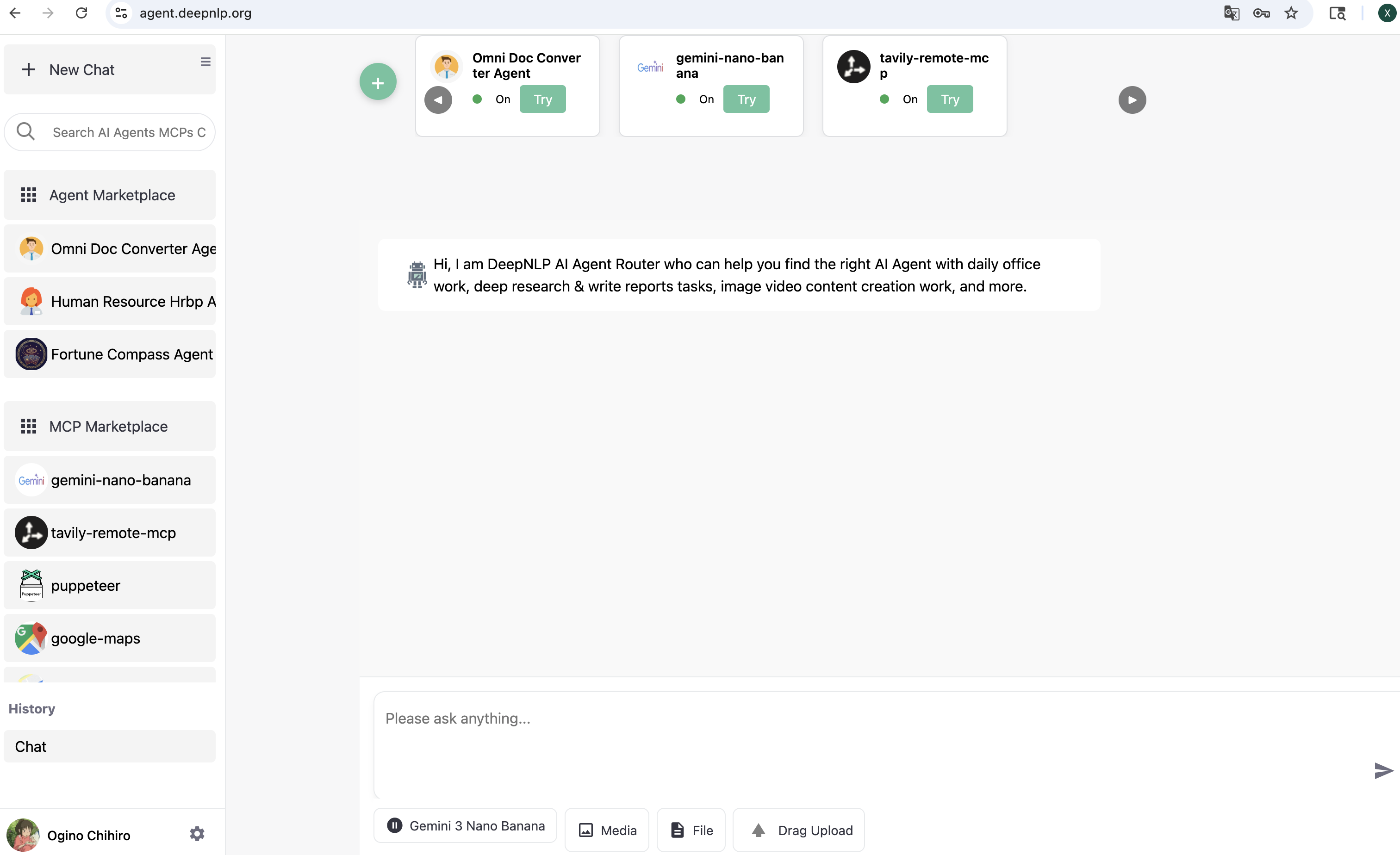
You can launch your AI Agent and enable real user traffic via the Agent Router Web UI and many other MCP/Agent clients. To test your deployed AI Agent (/agent) or MCP (/mcp) endpoint, we provide the Agent Router website to route and dispatch user queries or tasks to all registered and deployed AI Agents at:
https://agent.deepnlp.org/?agent={unique_id}
For example, you can visit the deployed Agentscope Deep Research agent (agentscope/deep_research_agent) to generate detailed research and analysis reports. Simply visit the website and replace unique_id with your deployed AI Agent ID, e.g.:
https://agent.deepnlp.org/?agent=agentscope/deep_research_agent
The Agent Router works with both third-party AI Agents (endpoints that accept the messages format) and AI Agents deployed on the AI Agent A2Z platform.
1. Quickstart - Agent with /chat Endpoint
1.1 Setup API Endpoint
Step 1. Visit AI Service Tab. In the section “Content You Added”, find the AI service project you want to use, go to the detailed page.
Step 2. Edit Your AI Service Project
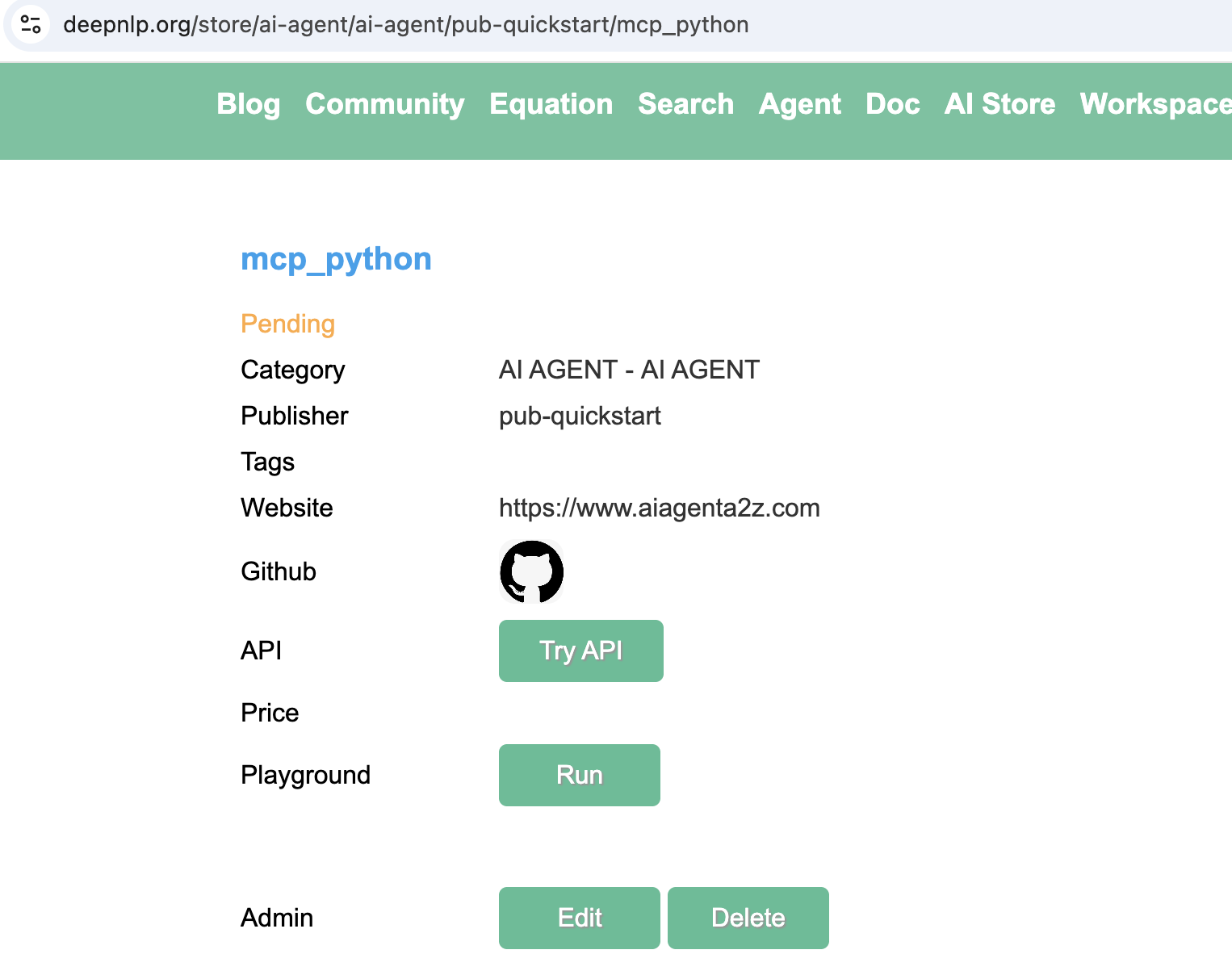
In the admin panel, click Edit, Find the filed “API Endpoint”, add the API of the endpoint that accept POST request with messages format input and streaming returned.
Here we put https://agentscope.aiagenta2z.com/deep_research_agent/chat in the API Endpoint field and then submit.
The input routed format:
{
    "messages": [
        {"role": "user", "content": "research the difference between MCP and Skills "}
    ]
}
To make sure your endpoint accespt the messages input, you can test the endpoint using curl
curl -X POST "https://agentscope.aiagenta2z.com/deep_research_agent/chat" \
  -H "Content-Type: application/json" \
  -d '{"messages":[{"role":"user","content":"Calculate 1+1 result"}]}'
And the expected rendered results should follow the below chunk format
{"type": "assistant", "format": "text", "content": "DeepResearch Task Starting...", "section": "answer", "message_id": "202d21fd-c71b-4a11-ba35-e2cb3c7d5947", "content_type": "text/markdown", "template": "streaming_content_type", "task_ids": "", "tab_message_ids": "", "tab_id": ""}
{"type": "assistant", "format": "text", "content": "{\n  \"type\": \"text\",\n  \"text\": \"Overwrite /app/agentscope_examples/deep_research_agent/deepresearch_agent_demo_env/Friday260211040019_detailed_report.md successfully.\\n# Calculation of 1 + 1: A Foundational Arithmetic Operation\\n\\n## Step 1: Confirming the Context of the Operation\\n\\nThe expression \\\"1 + 1\\\" is interpreted within the standard framework of elementary arithmetic unless otherwise specified. In this context:\\n\\n- The numerals \\\"1\\\" represent the natural number one, which is the first positive integer in the set \u2115 = {1, 2, 3, ...} (or sometimes defined to include 0, depending on convention).\\n- The symbol \\\"+\\\" denotes the binary operation of addition as defined in the Peano axioms for natural numbers or as commonly taught in primary education.\\n- The numeral system assumed is base-10 (decimal), which is the standard positional numeral system used globally for everyday arithmetic.\\n\\nNo alternative interpretations\u2014such as those from Boolean logic, modular arithmetic, or abstract algebra\u2014are indicated in the subtask, so we proceed under the assumption of classical arithmetic in the natural numbers.\\n\\n## Step 2: Performing the Calculation\\n\\nUsing the definition of addition for natural numbers:\\n\\n- By the successor function in Peano arithmetic, the number 2 is defined as the successor of 1, denoted S(1).\\n- Addition is recursively defined such that:\\n  - \\\\( a + 0 = a \\\\)\\n  - \\\\( a + S(b) = S(a + b) \\\\)\\n\\nThus:\\n\\\\[\\n1 + 1 = 1 + S(0) = S(1 + 0) = S(1) = 2\\n\\\\]\\n\\nAlternatively, from empirical and educational foundations:\\n- Counting one object and then adding another yields a total of two objects.\\n- This is consistent across physical, symbolic, and computational representations.\\n\\nTherefore, **1 + 1 = 2**.\\n\\n## Step 3: Validation\\n\\nThis result is universally accepted in standard mathematics and has been formally verified in foundational logical systems. Notably:\\n\\n- In *Principia Mathematica* by Alfred North Whitehead and Bertrand Russell (1910\u20131913), the proposition \\\"1 + 1 = 2\\\" is rigorously derived from set-theoretic and logical axioms. It appears as Proposition \u221754.43 in Volume I, with the actual proof completed in Volume II after hundreds of pages of preliminary logic. While famously taking over 300 pages to reach, this underscores the depth of formal verification possible\u2014even for seemingly trivial statements.\\n\\n- Modern computational systems (e.g., calculators, programming languages like Python, MATLAB, or Wolfram Language) all return `2` when evaluating `1 + 1`.\\n\\n- Educational curricula worldwide introduce this as the first non-trivial addition fact, reinforcing its role as a cornerstone of numerical literacy.\\n\\n## Conclusion\\n\\nUnder standard arithmetic in the base-10 numeral system, using the conventional meaning of numerals and the addition operator, the expression **1 + 1 evaluates unequivocally to 2**. This result is mathematically sound, logically consistent, empirically verifiable, and computationally confirmed.\\n\\n**Final Answer: 2**\"\n}", "section": "answer", "message_id": "My5UpF5iRxcWbyooMHqogZ", "content_type": "text/markdown", "template": "streaming_content_type", "task_ids": "", "tab_message_ids": "", "tab_id": ""}
For all the rendering document, please visit the section 3. Rendering in Agent Router UI
1.2. Test in DeepNLP Agent Router Web
https://agent.deepnlp.org/?agent={unique_id}
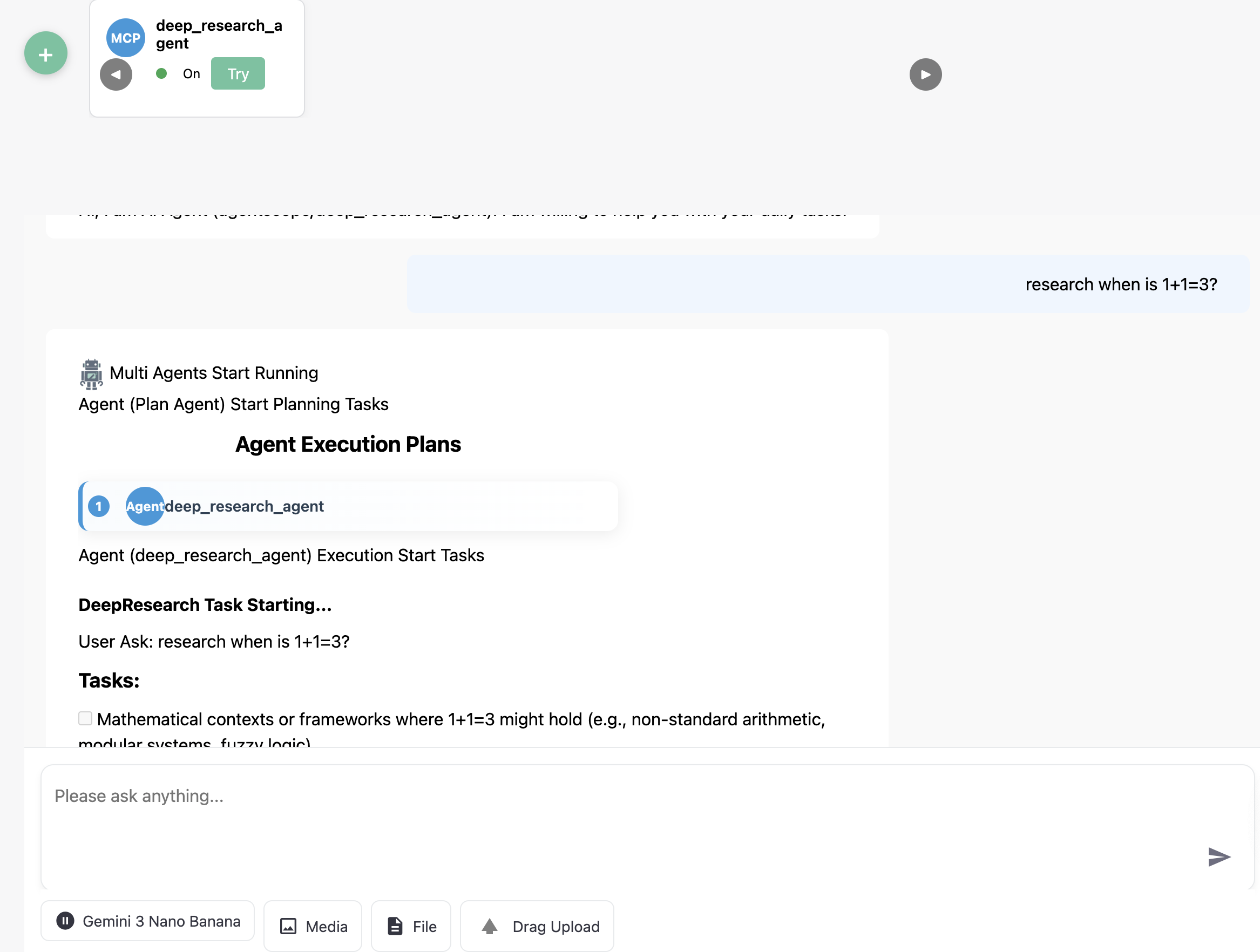
For the deep research agent, we visit https://agent.deepnlp.org/?agent=agentscope/deep_research_agent
and you can ask the Agent with your Question, e.g.
prompt
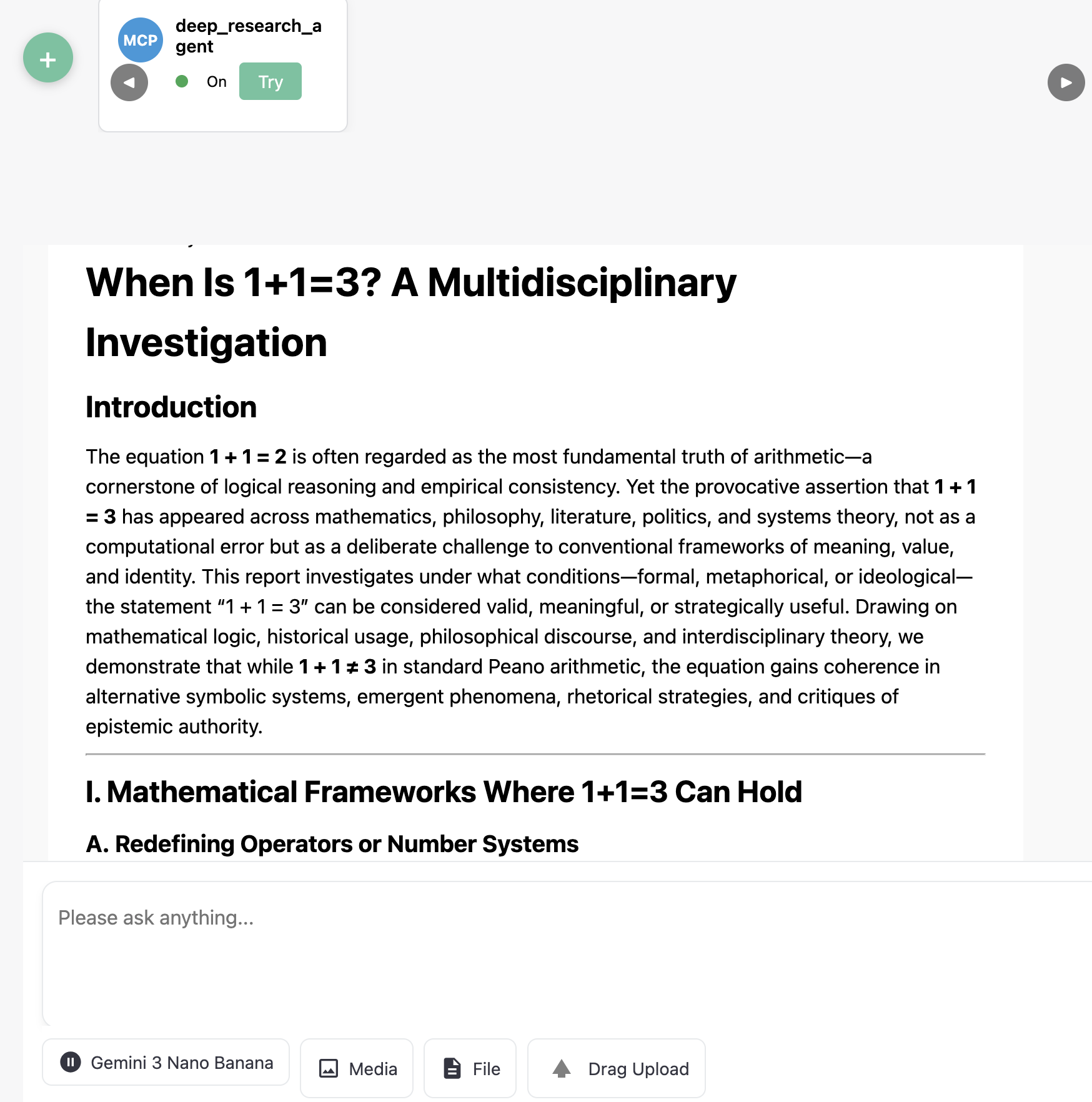
research when is 1+1=3?
Rendered Results
2. Quickstart - MCP with /mcp endpoint
Step 1. Click green Add cross
Step 2. Switch the New Agent Tab
Fill in the MCP Name and MCP Server URL, just like other MCP clients.
Step 3. Click Connect
Wait for a while after successfully connected,
Step 4. Click Add Agent
After your agent is added, you can use it as a web-based MCP client and explore the tools and abilities.
3. Rendering Your Chunk Streaming in Agent Router UI
The field content are required and other fields are optional but strongly recommend to render different MIME types, such as text, html, image, pdf, etc.
field |
required |
valid values |
description |
|---|---|---|---|
content |
required |
DeepResearch Task Starting… |
Main message content body. |
type |
required |
assistant |
Role of the message sender. |
format |
required |
text,html |
Output format of the content (e.g., text, json). |
message_id |
required |
202d21fd-c71b-4a11-ba35-e2cb3c7d5947 |
Unique identifier for the message. |
section |
optional |
answer |
Logical section of the message (e.g., answer, reasoning). |
content_type |
optional |
text/markdown |
MIME type of the content. |
template |
optional |
streaming_content_type |
Rendering template identifier used by the client. |
task_ids |
optional |
“” |
Related task IDs (can be empty or multiple IDs). |
tab_message_ids |
optional |
“” |
For multi-agent multi tabs rendering |
tab_id |
optional |
“” |
Identifier of the UI tab where the message belongs. |
pip install ai_agent_marketplace
Wrap your content chunk in a json. Please see the detailed example in Async Streaming Generator Code.
For example, write a sync streaming chunk generator, wrap the returned json using the assembly_message method and BaseLiveRuntime of package ai_agent_marketplace,
from ai_agent_marketplace.runtime.base import *
from typing import Any, AsyncGenerator
import json
import uuid
import asyncio

async def deepagents_stream_generator(agent: Any, user_query: str, **kwargs) -> AsyncGenerator[str, None]:
    """
    Universal async adapter
    """
    initial_content = "Task Started and Research Take a Few Minutes"
    initial_chunk = json.dumps(
            assembly_message(type=MESSAGE_TYPE_ASSISTANT, format=OUTPUT_FORMAT_TEXT, content=initial_content, content_type=CONTENT_TYPE_MARKDOWN,
                             section=SECTION_ANSWER, message_id=str(uuid.uuid4()), template=TEMPLATE_STREAMING_CONTENT_TYPE))
    yield initial_chunk + STREAMING_SEPARATOR_DEFAULT
    await asyncio.sleep(0)

    try:

        messages = [{"role": "user", "content": user_query,}]
        result = agent.invoke(
            {
                "messages": messages,
            },
        )
        output_messages = result["messages"] if "messages" in result else []
        # print (f"DEBUG: Customized Generator output_messages {output_messages}")
        for message in output_messages:
            #print (f"DEBUG: Message Type is {type(message)} and message is {message}")
            message_id, content, role = extract_message_content_langchain(message)
            print (f"DEBUG: Extracted Message Type is message_id {message_id} and content is {content} role {role}")
            output_chunk = json.dumps(
                assembly_message(type=MESSAGE_TYPE_ASSISTANT, format=OUTPUT_FORMAT_TEXT, content=content,
                                 content_type=CONTENT_TYPE_MARKDOWN, section = SECTION_ANSWER, message_id = message_id, template=TEMPLATE_STREAMING_CONTENT_TYPE)
            )
            yield output_chunk + STREAMING_SEPARATOR_DEFAULT
            await asyncio.sleep(0)

    except Exception as e:
        print (f"customize_stream_generator failed with error {e}")
        yield json.dumps({}) + STREAMING_SEPARATOR_DEFAULT

runtime = BaseLiveRuntime(
    agent=agent,
    stream_handler=deepagents_stream_generator
)

## Returned a FastAPI based app with /chat endpoint
app = runtime.app