Quickstart Static Website Deployment
Website | GitHub | AI Agent Marketplace | AI Agent A2Z
Introduction
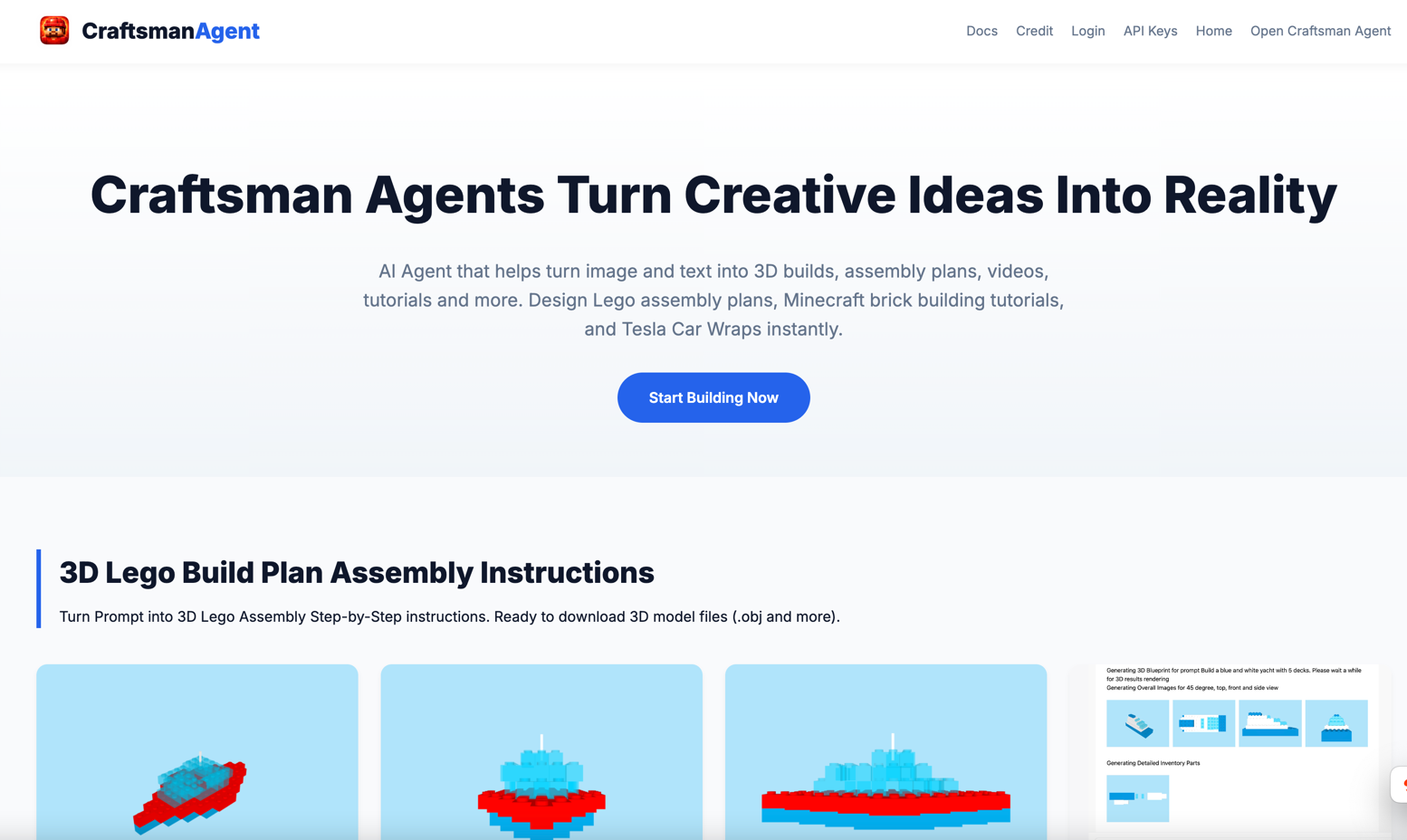
This templates implements a python FastAPI based website server with static files of index.html and /static folder containing images.
The website is live on https://craftsman-agent.aiagenta2z.com with subdomain registered
as “craftsman-agent”. You can use this template to deploy your own website with live URL as https://{subdomain}.aiagenta2z.com.
Usage
Running Locally
cd ./quickstart/website_python
uvicorn python.src.web:app --host 0.0.0.0 --port 8000
Deployment on AI Agent A2Z
Visit Deployment Panel Deployment .
Login and choose the default project with unique_id “${user_name}/default” (In our case: “craftsman-agent/default”).
Note that the final Live URL default url param will be removed. And the deployed website URL starts from the root path as https://{subdomain}.aiagenta2z.com/{url}.
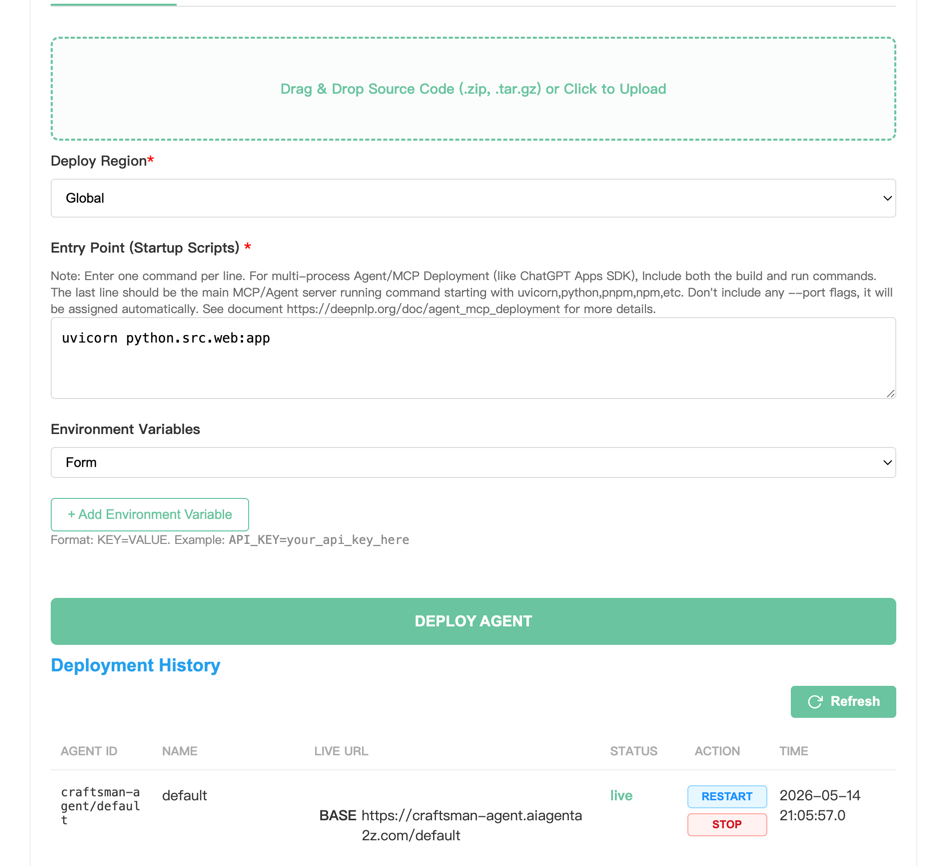
Step 1: Choose project “craftsman-agent/default”
Step 2: Prepare Uploaded Source Code File and Upload
cd ./quickstart/website_python
tar czvf craftsman-agent-homepage.tar.gz .
Step 3: Fill Region and Entry Points to start website Region: Global Entry Point:
### Running Locally
uvicorn python.src.web:app
Step 4: Environment Variables (Optional)
Step 5: Click Deployment
And once deployment is completed, just visit the deployed URL: https://craftsman-agent.aiagenta2z.com.
Note that https://craftsman-agent.aiagenta2z.com/default is the default project and the URL param “default” will be obsoleted handled by the platform and
all static files, endpoints starts from the root.
Note
Static file will starts from the root directory:
e.g. Icon URL: https://craftsman-agent.aiagenta2z.com/static/website/agent_icon.jpg
Mapped to local static image file under folder: ./static/website/agent_icon.jpg
Python Based Server for FastAPI requirements include jinja2 templates, include these in the requirements.txt file.
uuid>=0.0.1
jinja2